
3 Mercedes-Benz Navigation Modes for Beating I-285 Bottlenecks | Duluth, GA
Posted at Fri, Jul 17, 2026 1:03 AM
I-285 doesn't care that you're running late. Spaghetti Junction, the I-85 and I-285 interchange northeast of Atlanta, consistently averages peak-hour speeds around 28 mph according to American Transportation Research Institute data. The I-75/I-285 Cobb Cloverleaf sits at number five on ATRI's 2026 national bottleneck list. And right now, an ongoing reconstruction at I-285 and I-20 East is compounding delays that weren't already gentle.
Your Mercedes-Benz E-Class (or your GLE, or your S-Class) came equipped with three genuinely different navigation strategies, and they don't all handle the Perimeter the same way. Here's the honest breakdown.
The short version
- Native MBUX navigation reads live traffic and reroutes automatically; its greatest strength is keeping the instrument cluster and widescreen display unified and distraction-free, with no phone dependency.
- Apple CarPlay with Google Maps or Waze delivers crowd-sourced, real-time incident alerts often minutes ahead of built-in traffic feeds; best if you're an iPhone user who already trusts Waze on Atlanta roads.
- Android Auto with Google Maps or Gemini offers the deepest AI conversational routing and a persistent split-screen so you never toggle between apps; best for Android users in heavy stop-and-go.
- No single mode wins every category. Your choice comes down to phone ecosystem, whether you prefer seamless cabin integration or crowd-sourced speed, and whether your commute exits I-285 before or after the three worst bottleneck zones.
- All three can be configured before you leave the Duluth corridor; none require you to fiddle with a screen on an on-ramp.
Our GLE and E-Class owners heading into Atlanta regularly funnel through or past Spaghetti Junction on I-85. We know the three worst stretch-points on the Perimeter, and we've seen firsthand which navigation approaches handle the dynamics of that particular loop. This guide gives you the straight comparison.
How Do the Three Navigation Modes Actually Compare?
The table below uses the three criteria that matter most for I-285 commuting: how fast the system detects a developing incident (not just a confirmed one), how deeply it integrates with the rest of your Mercedes-Benz cabin, and how well it handles a manual or spoken route override when conditions change in seconds.
| Navigation Mode | Incident Detection Speed | Cabin Integration | Voice Override Ease | Best For |
|---|---|---|---|---|
| Native MBUX | Live traffic feed, predictive routing via AI pattern learning | Full: instrument cluster, widescreen, heads-up display unified | "Hey Mercedes" natural language, no phone needed | Drivers who want one seamless system, no dependencies |
| Apple CarPlay (Google Maps or Waze) | Crowd-sourced incidents, often minutes ahead of broadcast feeds | Center display only (CarPlay does not control the instrument cluster on Mercedes-Benz) | Siri for CarPlay, Google Maps voice within the app | iPhone users who already rely on Waze for Atlanta incident alerts |
| Android Auto (Google Maps + Gemini) | Crowd-sourced + Google AI, Gemini can chain route questions conversationally | Center display split-screen, persistent media bar | Gemini holds multi-turn dialogue; ask follow-ups without restarting | Android users who want the deepest conversational AI routing |
One caveat worth stating up front: Mercedes-Benz has explicitly declined to support CarPlay Ultra, the full-dashboard takeover version Apple is rolling out, citing concerns about handing Apple control of vehicle data. That means CarPlay on your Mercedes-Benz today remains a center-display-only experience. For some drivers that's a dealbreaker; for others, the crowd-sourced incident speed makes it worth the tradeoff.
Which Mode Wins on Raw Speed of Rerouting Around Spaghetti Junction?
For the I-285 Perimeter specifically, the rerouting speed question deserves a direct answer before you commit to a mode, because the three systems work from fundamentally different sources.
Native MBUX pulls live traffic data and uses Mercedes-Benz's built-in AI to learn your recurring routes, processing that information across vehicle sensors and onboard mapping. The system can offer alternative routes proactively, before a slowdown is fully formed, because it factors historical pattern data in alongside the live feed rather than waiting for conditions to confirm themselves.
Waze and Google Maps inside CarPlay or Android Auto work from a different foundation. They aggregate crowd-sourced reports from drivers already sitting in the jam, which means their incident detection often beats a broadcast traffic feed but still lags behind a developing event by however long it takes drivers in the thick of it to file a report. On the I-285/I-85 interchange, where the 4:00 to 7:00 PM peak window can shift from moving to gridlocked in under ten minutes, that lag is worth factoring in.
The MBUX system supplements live traffic with predictive historical patterns, while Waze and Google Maps rely primarily on crowd-sourced reports. Each approach gives you a different type of early warning.
On the Duluth-to-I-285 segment of I-85, drivers who pre-load their route into native MBUX before leaving tend to receive the proactive re-route prompt while a surface-street exit off I-85 is still available. Drivers running Waze via CarPlay sometimes get that same alert a few minutes later. On northbound I-285 at 5:00 PM, a few minutes is the difference between Buford Highway as a workable alternate and finding yourself already committed to the ramp.
See Current Mercedes-Benz Specials
Does Cabin Integration Change the Drive on a 64-Mile Loop?
On a short city run, the difference between center-display-only and full cluster integration is easy to dismiss. On 64 miles of Perimeter, it accumulates.
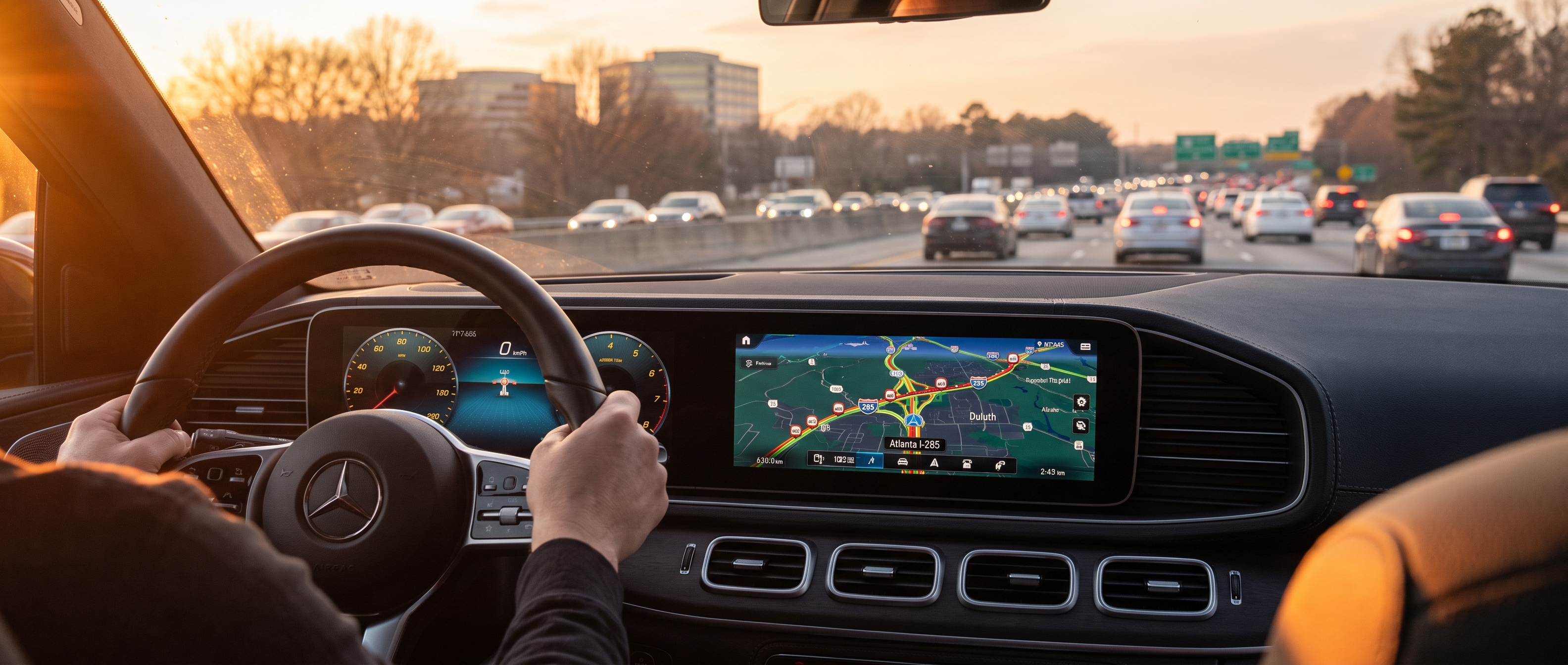
Native MBUX keeps your speed, navigation arrows, traffic alerts, and lane guidance in the instrument cluster, directly in your sightline, so your eyes stay where they belong through the whole session. S-Class and GLC drivers on our lot particularly cite this as the feature that earns its keep on long Perimeter runs, and we'd point to the same reason: sustained highway navigation rewards the system that asks the least of your attention.
Apple CarPlay lives only on the center display on Mercedes-Benz vehicles. Navigation arrows don't appear in the digital instrument cluster when you're in CarPlay mode, which means a glance to the right at a complex interchange (the kind Spaghetti Junction's 11-mile ramp system delivers) just as traffic is weaving and compressing around you. That's a real attention cost at a genuinely bad moment.
Android Auto with the "Coolwalk" interface offers a persistent split-screen on the center display, showing navigation and media controls simultaneously so you're not toggling between apps. It doesn't reach the instrument cluster either, but the persistent layout cuts down the taps needed mid-drive, which matters when the lanes are narrowing.
Configuration tip: Regardless of which mode you use, save your most common destinations in MBUX Favorites before you get on the highway. Voice-activating "Navigate to Office" via "Hey Mercedes" is faster and safer than typing an address at the I-85 on-ramp. This applies even if you plan to hand off to CarPlay once the route loads.
Which Mode Fits Your Commute Pattern?
The right choice depends less on which mode is technically superior and more on your specific Perimeter entry point, your phone ecosystem, and what you need the system to do while you're in motion.
| If you... | Use this mode |
|---|---|
| Exit before or after Spaghetti Junction and want hands-free cabin control | Native MBUX |
| Are an iPhone user and already trust Waze for Atlanta incident alerts | CarPlay + Waze |
| Drive Android and want conversational AI rerouting ("avoid I-285 north entirely") | Android Auto + Google Maps/Gemini |
| Often take GA-400 or I-85 express lanes and want cluster-level guidance | Native MBUX |
| Want the fastest crowd-sourced incident alerts regardless of integration depth | CarPlay or Android Auto + Waze |
Pollen season is the one condition our Duluth service lane can date without a calendar: by late March the cabin air filter is the first component loading up with that yellow film, well before you'd notice it at a vent. We mention it here because the same principle applies to navigation setup; the Perimeter doesn't announce when it's about to get bad, so configuring your preferred mode before you leave the driveway is the move, not after you're already merging.
A note on the I-285/GA-400 interchange specifically: the Transform 285/400 project has introduced new collector-distributor lanes and braided ramps that reduce weaving distances. All three navigation modes now accurately reflect the updated ramp geometry, but native MBUX's OTA map updates keep the geometry current without requiring you to manually initiate a download. CarPlay and Android Auto pull map data from your phone's app, which updates independently.
Frequently Asked Questions
Does native MBUX navigation work without a phone signal on I-285?
Yes. Native MBUX uses onboard maps stored in the vehicle, which means core turn-by-turn guidance continues even if your cellular connection drops (a real scenario in certain sections of the I-285/I-20 construction zone). Live traffic updates do require a connected Mercedes me account with an active data service, but the base routing stays functional without it. Apple CarPlay and Android Auto both depend entirely on your phone's signal and processing, so a dropped connection ends the active navigation session.
Can I switch between navigation modes mid-route on the Perimeter?
Yes, and it's more useful than it sounds. You can start a route in native MBUX, then plug in your phone and switch to CarPlay or Android Auto without losing your destination. The systems don't share an active route state, so you'd confirm the destination again in the new app, but the handoff takes about 15 seconds. Some drivers use native MBUX to set a destination before leaving our Duluth area and then switch to Waze via CarPlay once they're approaching Spaghetti Junction for the crowd-sourced layer.


